Does Qutm follow Grinding Gear Games Terms of Service?
Yes. Qutm does not read Path of Exile 2 memory, inject DLLs, or automate gameplay inputs. It only watches the official Client.txt log file for zone changes and reads item text copied to your clipboard when you press your price check shortcut.
What does Qutm actually do while leveling in Path of Exile 2?
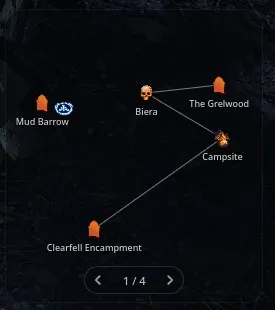
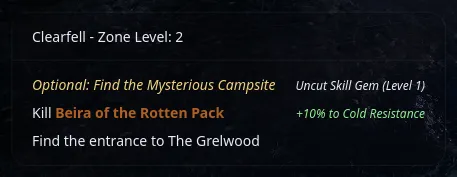
As you enter a new campaign zone, Qutm reads the zone transition from Client.txt and updates the Zone Guide with step-by-step objectives, passive skill or spirit rewards, and zone-level warnings. The companion Layout Map displays common zone layouts and Points of Interest such as entrances, bosses, checkpoints, waypoints, and ascendancy altars.
How does the Path of Exile 2 price checker work?
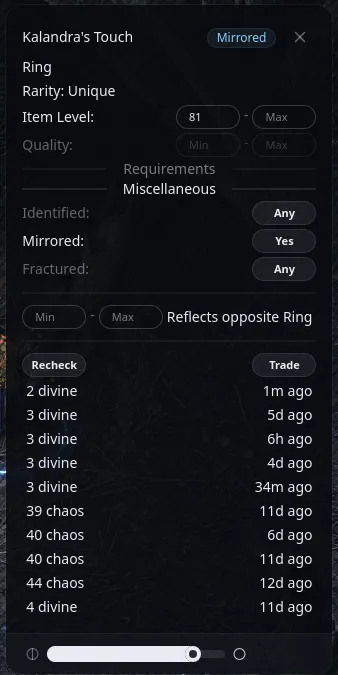
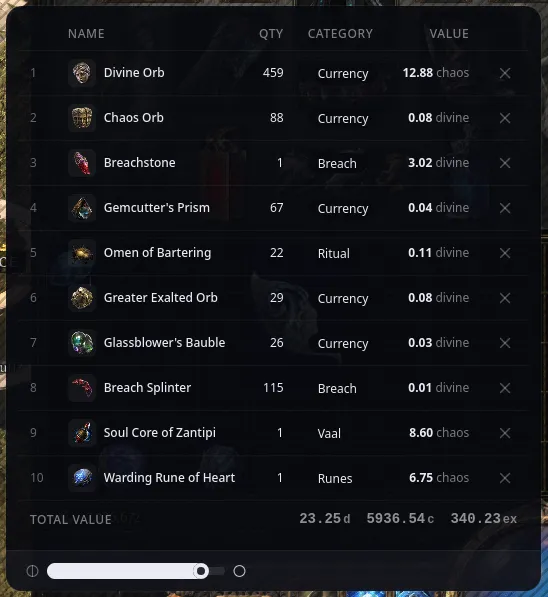
Hover over an item in-game and press Alt+D (configurable in Settings). Qutm parses the item stats, socketed runes, and item states (Identified, Corrupted, Mirrored, Fractured, Sanctified, Unrevealed), returns instant values from a 12-hour cached exchange overview for currency and uniques, or lets you run a filtered trade search and open it directly in your browser.
Which operating systems and installers are supported?
Windows is the primary platform with x64 .exe and .msi installers. Prebuilt releases are also published for macOS (Apple Silicon and Intel .dmg) and Linux (.AppImage, .deb, .rpm, and Arch Linux .pkg.tar.zst).
How do I set up Qutm for the first time?
Install and launch Qutm, then follow the 4-step setup wizard: locate your Path of Exile 2 Client.txt file (inside the game logs folder), set your overlay toggle shortcut (Control+Shift+F by default), pick which widgets to enable, and optionally run the built-in guided tour.
Is Qutm free and open source?
Yes. Qutm is completely free and open source under the Apache-2.0 license on GitHub. Community support is optional via Patreon, and bug reports or layout suggestions are welcome on Discord and GitHub Issues.